
Горячая линия
1388xx888xx
Горячая линия
1388xx888xx
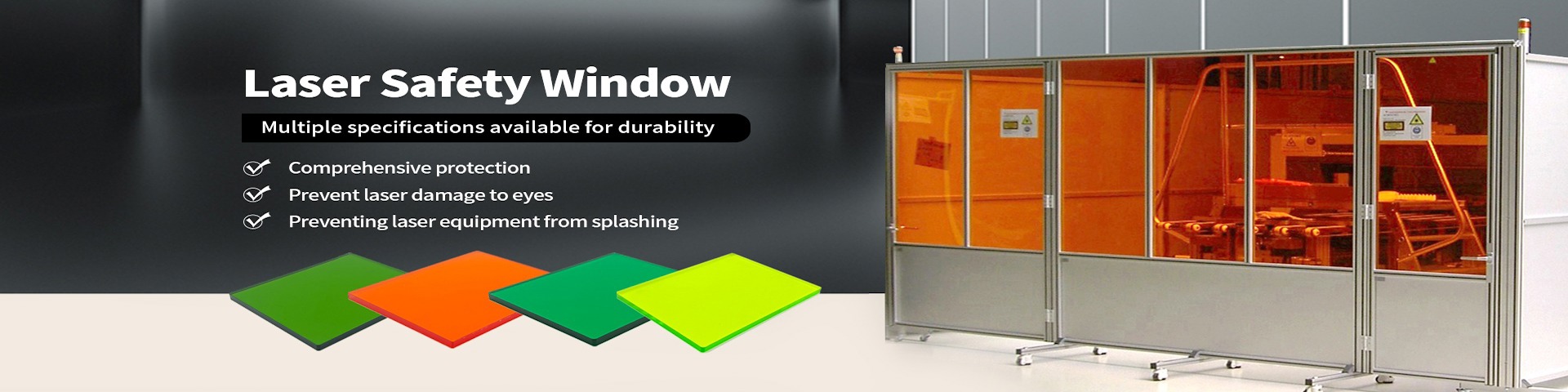
Добро пожаловать в увлекательный мир лазерной резки! Если вы только начинаете свой путь в этой области, этот мастер-класс станет вашим надежным проводником. Лазерная резка — это современная технология, которая позволяет создавать точные и сложные изделия из различных материалов, таких как металл, дерево, пластик и многое другое. Благодаря своей универсальности и эффективности, она находит применение в промышленности, дизайне, искусстве и даже в домашних мастерских.
В этом руководстве мы подробно разберем все этапы процесса: от основ и выбора оборудования до практических советов и вдохновляющих проектов. Неважно, являетесь ли вы полным новичком или имеете некоторый опыт — здесь вы найдете полезную информацию, которая поможет вам освоить лазерную резку и раскрыть свой творческий потенциал. Давайте начнем это путешествие шаг за шагом!
Лазерная резка — это процесс использования высокоэнергетического лазерного луча для точного разрезания или гравировки материалов. Луч лазера фокусируется на материале, нагревая его до точки плавления или испарения, что позволяет создавать чистые и аккуратные края без механического контакта. Это делает технологию идеальной для работ, требующих высокой точности и детализации.
История лазерной резки началась в 1960-х годах, когда были разработаны первые лазеры, и с тех пор она эволюционировала в мощный инструмент для различных отраслей. Сегодня лазерные резаки используются везде: от автомобильной промышленности и аэрокосмической инженерии до создания украшений и персонализированных подарков. Преимущества лазерной резки включают:
Для новичков лазерная резка открывает двери к творчеству и innovation. Вы можете начать с простых проектов, таких как вырезание именных брелоков или декоративных элементов, и постепенно переходить к более сложным задачам. Ключ к успеху — понимание основ и практика, и этот мастер-класс поможет вам в этом.
Прежде чем приступить к резке, важно понять, как работает лазерный резак. Основные компоненты включают лазерный источник, систему фокусировки, рабочий стол и систему управления. Лазерный источник генерирует луч, который направляется через mirrors и линзы to focus on the material. Система управления, обычно компьютерная, allows you to set parameters such as power, speed, and frequency.
Типы лазеров: Существуют различные типы лазеров, наиболее распространенные для резки — CO2 лазеры и fiber лазеры. CO2 лазеры отлично подходят для неметаллических материалов like wood, acrylic, and leather, while fiber лазеры более эффективны для metals. Для новичков often recommend starting with a CO2 лазер, as it is more versatile and easier to handle.
Процесс резки: When the laser beam hits the material, it heats it rapidly, causing melting or vaporization. Assist gas, such as oxygen or nitrogen, is often used to blow away molten material and improve cut quality. The key parameters to control are laser power (which determines how much energy is delivered), cutting speed (how fast the laser moves), and focus (the point where the beam is most concentrated).
Для example, при резке дерева, более низкая мощность и slower speed may be used to avoid burning, while for metal, higher power and faster speed are typical. Understanding these basics will help you avoid common mistakes and achieve better results from the start.
Выбор правильного оборудования crucial for beginners. There is a wide range of laser cutters available, from affordable desktop models to industrial machines. Here are some factors to consider:
Совет: Начните с подержанного или арендованного equipment if you're unsure. This allows you to learn without a big investment. Additionally, consider joining online communities or forums where you can get recommendations and support from experienced users.
Перед первым использованием лазерного резака, необходимо properly set it up and prioritize safety. Лазеры can be dangerous if not handled correctly, as they emit high-energy radiation and can cause fires.
Настройка: Place the machine on a stable surface in a well-ventilated area. Connect it to a computer and install the required software. Calibrate the laser focus according to the manufacturer's instructions — this involves adjusting the lens so that the beam is sharp at the material surface.
Меры безопасности: Always wear protective eyewear designed for the specific laser wavelength. Never operate the machine without supervision, and keep flammable materials away. Ensure proper ventilation to remove fumes produced during cutting, as they can be hazardous. Have a fire extinguisher nearby and know how to use it.
Проверка: Run a test cut on a scrap piece of material to fine-tune settings. This helps you understand how different parameters affect the cut and prevents wasting good material. Document your settings for future reference.
Remember, safety first! Taking these precautions will make your learning experience enjoyable and risk-free.
Для лазерной резки, дизайн создается в vector-based software such as Adobe Illustrator, CorelDRAW, or free alternatives like Inkscape. Vector files use paths and curves, which are ideal for lasers to follow accurately.
Основы: Create your design with lines and shapes. Ensure that all elements are closed paths, as open paths may not cut properly. Set stroke width to a hairline (usually 0.001mm) to indicate cut lines, and use fills for engraving areas.
Советы для новичков: Start with simple designs like geometric shapes or text. Use online resources for templates and inspiration. When designing, consider the material thickness — the laser needs to penetrate through, so adjust your design accordingly. For example, avoid very small details that might burn away.
Экспорт: Save your design as a file format compatible with your laser software, such as SVG or DXF. Import it into the laser software, where you can set cutting parameters like speed, power, and number of passes.
Практика makes perfect. Don't be afraid to experiment with different designs and settings to see what works best.
Каждый материал behaves differently under the laser, so it's essential to adjust settings accordingly. Here’s a quick guide for common materials:
Всегда консультируйтесь с таблицами настроек provided by your machine manufacturer or online databases. Keep a log of successful settings for each material to streamline future projects.
После резки, изделие may require some finishing touches. Remove any residue or smoke stains with a soft cloth or mild cleaner. For wood, you might sand the edges lightly to smooth them out. Acrylic can be polished with a flame or chemical polish to enhance clarity.
Если вы занимаетесь гравировкой, ensure the design is clear and deep enough. You can add paint or stains to highlighted areas for a professional look.
Совет: Take photos of your finished projects to track progress and share with others. This not only documents your work but also motivates you to improve.
Чтобы apply your skills, try these beginner-friendly projects:
Start with something small and gradually increase complexity. Use online platforms like Thingiverse or Pinterest for free designs and ideas.
Как новичок, вы можете столкнуться с issues like uneven cuts, burning, or machine errors. Common solutions:
Не расстраивайтесь — ошибки are part of learning. Seek help from forums or tutorials if stuck.
Лазерная резка — это rewarding skill that opens up endless possibilities. By following this master class, you've taken the first steps toward mastery. Continue practicing, learning from others, and exploring new materials and techniques.
Consider advancing to more complex projects or even starting a small business. The key is to stay curious and persistent. Удачи в вашем творческом пути!
Этот мастер-класс covers the essentials, but there's always more to learn. Keep experimenting and enjoy the process of creation with laser cutting!

Телефон:1388xx888xx
Мобильные телефоны:1388xx888xx
Адрес:Room 401, Greenland Lanhai Building, Jinye Road, High-Tech Zone, Xi'an, Shaanxi, China
Почтовый ящик:1388xx888xx@gmail.com